Five construction background check strategies for faster hiring
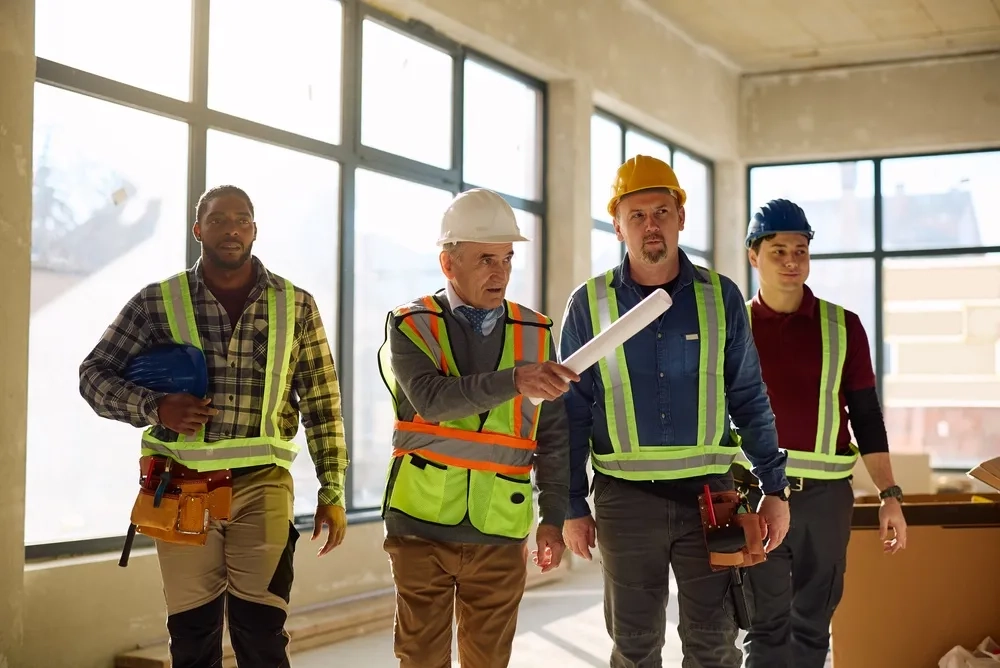
The screening a laborer in Ohio needs isn't the screening a commercial driver's license (CDL) holder in Florida needs, and neither is what a general contractor requires of a subcontractor's crew before they badge in. Add a second state, a third trade, and a fourth active project, and nobody on your team can hold all the combinations in their head.
That's usually how it works, though. A regional manager knows which forms a given jobsite needs, which packages go with which roles, and which counties run slow in the spring. It works until that person takes another job, and takes that knowledge with them.
Your background check provider can help with more of this knowledge sharing and handoff than most hiring teams expect. How it works depends on who you choose to partner with. Below are five criteria to evaluate, and the questions to put to any vendor who wants the work.
Key Takeaways
- Speed only counts if the result is right the first time, because you restart the clock when a verification comes back wrong.
- Employment history is a check construction teams often identify as incomplete. A stalled verification should be caught, and flagged for fixing, by the system itself.
- Centralized policy with localized action is the model teams hiring at scale need: corporate sets the standard, the site manager executes the step in front of them.
- You should be able to order every check a jobsite requires from one place, and read every result in a single report.
- Form I-9, identity verification, and state eligibility belong in the same workflow as the background check.
1
Reliable speed and accuracy, without a trade-off
Speed and accuracy aren’t mutually exclusive, and you shouldn’t have to choose between the two. Construction candidates decide to take a job in days, not weeks, and a slow report may lose you the candidate. An inaccurate or incomplete report means you have to restart the process. Nobody changes the production timelines to account for delays in screening time.
Addressing both of these challenges comes down to two key elements.
1. How the background check is built.
A criminal check can be run in every county where the candidate has records, which is why a background check provider’s data access matters more than where the candidate currently lives. Providers can either own the data, requiring them to collect, standardize, and secure the records themselves or purchase the results from a third-party aggregator. When the data comes from proprietary channels and filtered through AI-powered systems, you get the most accurate record from every screening.
2. What happens when the check is returned.
If your teams are sifting through every record by hand, you’re missing out on an opportunity to streamline time and effort. Automated adjudication tools let your team set criteria for every role and jobsite upfront, so you only view relevant records and can see, at a glance, whether a report meets the criteria you set or needs further review. Your team can then quickly approve a candidate or initiate adverse action.
If you choose a partner that does both, you get that time back on both ends. A commissioned study conducted by Forrester Consulting on behalf of Checkr, published in January 2025, measured how much.
5 days
shorter end-to-end screening process
3 days
faster background check turnaround
Up to 75%
of adjudication resources redirected to other work
Source: The Total Economic Impact™ Of Checkr, a commissioned study conducted by Forrester Consulting on behalf of Checkr, January 2025. Results are based on a composite organization with $250M in annual revenue running 8,000 background checks a year, built from interviews with six representatives across four Checkr customers.
Your team orders the screenings a specific role requires and a report estimated completion appears in the dashboard and the candidate's portal at the same time, so you and the candidate work from the same expected date. Checkr Assess applies the adjudication criteria you set, and flags only the records that need to be reviewed.
Ask your background check partner
- How do you measure accuracy in the records you return?
- What are your median and 90th-percentile turnaround times for the counties where we hire, not your average?
- How are adjudication criteria stored and versioned, and can they differ by role and by jobsite inside one account?
- What can a candidate finish from a phone, and what do they see about where their check stands?
2
Employment history should come back complete the first time
Employment history is a check construction teams flag as coming back incomplete when working with legacy, primarily manual background check systems. And inaccurate checks can cause more than just a delay. For FMCSA-regulated roles, it’s also a legal requirement, so an incomplete report may increase your risk of non-compliance.
In theory, it’s simple. You want a check that includes a complete employment history, the first time you request one. Checkr's employment verification delivers a complete check, every time, by sourcing information from multiple sources simultaneously. Payroll checks, database connections, employer outreach, and document validation run in a single, automated flow, reducing manual work. Direct connections to payroll and employment databases lower fees, and most verifications are completed in under 3 days; 16% are delivered instantly. Built-in AI systems flags errors to HR team members so the human expert always retains oversight.
Some teams are already working this way. TAL Building Centers, a family-owned building materials company with 500–1,000 employees across 32 locations in the Pacific Northwest, hires everything from yard labor to leadership, drivers included. Checkr found a gap in their pre-employment DOT verification TAL previously had on file, and was able to quickly flag it to the HR team for resolution.
"As a result, we were able to implement those employment verifications using Checkr. This ensures compliance moving forward with our Driver Qualification files, and we can be confident that we are in good shape with DOT and FMCSA regulations."
Erin Doehring
Human Resources Director, TAL Building Centers
Ask your background check partner
- What methods do you use to complete an employment verification, and do any of them run automatically in one system?
- Can you produce a documented employment history that satisfies FMCSA Driver Qualification file requirements?
- What flags are built into your system to catch an error before the report reaches our team? And how quickly does that happen?
3
Permissions that centralize policy and localize action
The screening model that most often occurs in construction is: corporate sets the standard, and the jobsite carries it out. Corporate HR teams decide policy, screening criteria, and compliance requirements once, and localized teams then deploy and defend them.
For others, it may look different. A specialty trade contractor employing its own crews is screening people it directly hires. A general contractor or homebuilder sets a standard that subcontractors execute on its jobsites, which means the standard has to be legible, and executable, to someone who doesn't work in HR. Everyone involved in the hiring and screening process needs the same thing from a platform, for different reasons.
Construction, especially, needs multiple system permissions and access options because whoever is physically with the new hire has to carry out part of the screening. To complete Form I-9 Section 2, someone has to examine that person's documents, and USCIS's rule is that you or your authorized representative review them in the employee's physical presence.
Most platforms make you choose. Either the site manager gets broad account access to finish their one step, and now a field manager can see candidate records from every project in the company, or the corporate team keeps control and nobody on site can finish the step. You don't have to accept either. What you're looking for is permissions scoped to the task and the location, which means deciding once where each part of the process belongs.
Decision | Where it belongs |
|---|---|
Screening packages by role and trade | Corporate, set once and applied everywhere |
Adjudication criteria and adverse action | Corporate, one standard, versioned and auditable |
Form I-9 Section 2 document examination | Jobsite, the person with the new hire |
Ordering a check for a specific candidate | Jobsite or region, scoped to that location |
Reporting, cost, and turnaround analytics | Corporate, visibility into every location |
Billing and chargeback | Mapped to your entity and division structure |
Checkr supports configurable permissions, a billing hierarchy, self-serve package building, and a centralized administrative view. In practice that runs on an account hierarchy: you build packages at the account level and assign them out, and you scope user roles so a restricted admin requests and adjudicates only for candidates in their own area of responsibility without touching billing or account settings. You can also limit a user to selected geographies, so they manage only the candidates in those locations.
Ask your background check partner
- Can we set and change screening packages and adjudication criteria ourselves, centrally, and have them apply at every site?
- What visibility does corporate keep into decisions a local team made, and how far back does that record go?
- Can access, report visibility, and billing follow our entity, division, and jobsite structure?
- Can a site manager complete Form I-9 Section 2 without access to candidate records outside their location?
4
Coverage of every check a jobsite requires
The next question is whether a single platform can order every check a jobsite needs, or whether you'll be assembling the answer from several vendors.
Construction pulls from a wider set of checks than a single criminal search, and the mix changes by trade. A laborer, a mixer driver, and a crane operator need overlapping but not identical packages, each on its own clock.
Splitting them across providers costs you three times over. The first is the calendar. When a new hire needs a criminal search, a motor vehicle record (MVR) report, and a drug test, you're waiting on whichever one you get last. Send them to three vendors in sequence, and you spend the week chasing each one. If you run them all at once, you’re saving time across multiple checks.
You pay the second cost later, when a client asks where a specific worker stands and you open four portals to answer, each with its own login and its own idea of what "complete" means. The third is data entry: when checks don't run through your ATS, recruiters retype candidate information between tabs, accidentally opening the door for human errors that could delay check completion.
What should run from one dashboard
- Criminal searches: National criminal search and county criminal search, packaged by role and trade.
- Driving records: MVR report and commercial MVR report, which covers the Commercial Driver's License Information System for CDL holders.
- Drug and alcohol testing: Clinic-based drug test and onsite drug test, plus post-accident and reasonable suspicion drug or alcohol test.
- Occupational health: Occupational health screening, DOT physical, non-DOT physical, audiogram, and physical evaluations.
- Employment eligibility: I-9 verification and E-Verify, using information already collected for the background check.
- Post-hire checks: Continuous criminal search, continuous MVR report for active drivers, and scheduled rechecks for licenses.
With Checkr, you order every check on that list through a single system, and Checkr offers pre-built integrations for more than 200 ATS and HRIS systems so your team can order and track checks without leaving the system they’re already working in.
Ask your background check partner
- Can we order criminal searches, MVR reports, drug and alcohol testing, and occupational health screening from one dashboard?
- Which of our systems do you already integrate with, how long does deployment take, and what happens for one that isn't on your pre-built list?
- Can we see cost and turnaround broken out by jobsite, region, and check type in one report?
- If a client or an auditor asks for the full record on one worker, is that one retrieval or several?
5
Form I-9 and state-specific employment eligibility in one workflow
Form I-9 collects the same information from the same person your background check already did, so having a single platform avoids duplicate entries and reduces the potential for errors between system hand-offs. Those errors got more expensive as of March 2026, depending on your hiring jurisdiction. Some I-9 errors that were once considered “correctable” are now flagged as significant violations and subject to immediate fines in certain circumstances. Some state laws have also changed; Ohio's recent mandate is written specifically for construction and reaches past your own payroll to the subcontractors and labor brokers on your projects. You should always consult legal counsel regarding I-9 regulations and requirements for your organization.
You control one important thing: where the forms live. When Form I-9 runs in the same account as the background check, Checkr can import the information the candidate already gave you straight into the form rather than making someone type it twice, and if you need or choose to run E-Verify, you can set it to submit automatically as soon as the site manager completes Section 2.
E-Verify enrollment, the Section 2 deadline, and the retention clock are your obligations. Your background check partner can put the right form in front of the right person at the right time, submit to E-Verify, and hold the record for as long as you need it.
Checkr covers all I-9 components: I-9 verification, E-Verify, and built-in state-specific forms. You order and manage all three alongside the background check.
Ask your background check partner
- Is I-9 verification in the same workflow as the background check, or a separate tool with a separate login?
- Which states' requirements do you handle today, and how quickly do you update forms when a mandate like Ohio's takes effect?
- What audit trail do you produce for a Form I-9: who completed each section, when, and which documents were examined, including under the remote procedure?
- How long do you retain Form I-9 and E-Verify records, and can we export them ourselves?
What one screening standard buys a construction team
Checkr gives construction teams one platform built to handle every screening, so you keep the standard when a superintendent changes jobs. One account record per worker: what you screened for, what you decided, and who decided it.
Our systems do the speed and consistency work, with built-in compliance guardrails that only surface reportable information and account for regional regulations so you can make confident decisions faster.
Getting started isn’t something that your team has to figure out on their own. For teams hiring at scale, Checkr’s implementation team works with you to ensure a seamless transition and ramp, and with more than 200 pre-built ATS and HRIS integrations, consolidating your screening doesn't mean changing how your recruiters work day to day.
You can't change how many craft workers are retiring this year, or which competitor is hiring on the same street. You can decide that your next project start doesn't wait on a screening process, and you make that decision when you choose the partner.
Screening built for project schedules and multiple jobsites



Disclaimer
The resources and information provided here are for educational and informational purposes only and do not constitute legal advice. Always consult your own counsel for up-to-date legal advice and guidance related to your practices, needs, and compliance with applicable laws.