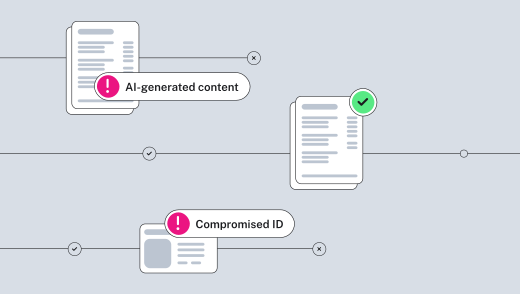

Want to stop hiring fraud?
As more teams hire fully remote employees, HR teams and managers may wonder how to conduct background checks and identity verification. Even if you’ll never meet your new hires in person, you can still follow a consistent background check process that’s very similar to in-person onboarding.
A remote employee background check runs the same core searches as an onsite hire—identity, criminal records, and employment history—plus two additions built for a candidate you’ll never meet in person: an identity-and-liveness check before screening starts, and an I-9 examination suited to remote hires.
Below you will find information on each step in the process, who owns it, how long it takes, and where the risk of fraud actually differs for remote hires. We’ll also cover typical costs and timelines for remote background checks, so you can plan a remote hire’s start date with the same confidence as you would for an onsite hire.
Key takeaways
- Background checks for fully remote employees are very similar to the in-person background check process but typically include a couple revised steps
- Many employers want to run background checks on remote hires to avoid hiring fraud
- If you’re screening your remote hires, it’s best to let them know about identity checks in advance
- You can conduct remote screening on your business’s new hires with Checkr’s full background check service
Start running background checks
See our options for screening your remote hires
What’s different about a remote background check?
The core structure of a background check doesn’t change based on where a candidate will work. Identity, criminal background check, and employment verification searches run the same way whether you’re hiring someone down the hall or across the country.
Two things are a little different for a candidate you’ll never meet in person:
- An identity-and-liveness check before screening starts. When you hire an on-site employee, you’ve usually already confirmed their identity in person through an interview, a badge photo, or their first day in the building. For a remote hire, that confirmation happens digitally before you conduct any other background check or search.
- A remote I-9 verification. Form I-9 normally requires an in-person document review, where someone physically inspects the candidate’s identity and work-eligibility documents. Employers enrolled in E-Verify in good standing can instead use the DHS alternative procedure, which substitutes a video call for the in-person meeting.
If you’re hiring across multiple states or locations, it’s best practice to use the same examination method for employees hired at a single location. Checkr’s list of identity verification tools for remote onboarding has more information for multi-state organizations. If you want more information about the DHS alternative procedure, including the definition of “in good standing” and rules for being consistent across worksites, see Checkr’s Form I-9 guide.
What’s the average cost of a remote background check, and how long does it take?
The cards below cover each primary step in a remote employee background check at Checkr, including the approximate time it takes and what it may cost.
Confirms the candidate is who they claim to be.
- Who does it: Checkr, before screening starts. IDV can also be ordered independently of background checks
- How long: A few minutes
- Cost: $4.99/check
National, county, state, and federal records, depending on the package.
- Who does it: Checkr
- How long: 1-7 days—although 89% of all criminal checks, including county searches, are completed within one hour
- Cost: Priced by package (Basic+/Essential/Complete) — see Checkr’s pricing page
Dates, titles, and employers on the candidate’s claimed work history.
- Who does it: Checkr
- How long: 1-7 days; international verifications can take between 15-30 days
- Cost: Starting from $12.50/check
Employment eligibility.
- Who does it: The employer is responsible for the I-9 completion; Checkr facilitates this within the product
- How long: Varies case-by-case: dependent on both the candidate and the employer
- Cost: $7/form
Curious what this looks like for your team?
See current package pricing, including identity verification and fraud detection add-ons.
Why remote hiring is a bigger target for hiring fraud
Remote hiring removes the checks you may not automatically think of as checks, like the in-person interview, the badge photo, or the first day a new hire is physically in the building. That’s what hiring fraud exploits. Some 60% of hiring managers say they’ve uncovered a candidate who misrepresented their experience or qualifications. Another 13% suspect deception even though they couldn’t prove it.
Generative AI has made it cheap to fabricate a convincing identity with tools like synthetic profiles, stolen credentials, and deepfaked video calls.
What types of hiring fraud does Checkr detect?
Checkr’s fraud detection suite addresses three types of hiring fraud, in ascending order of seriousness: embellishment, misrepresentation, and impersonation.
Type of hiring fraud | Description | How Checkr helps |
|---|---|---|
Embellishment | Candidates inflate their job titles, hide employment gaps, and exaggerate prior work responsibilities. | AI resume fraud detection flags inflated credentials and suspicious patterns on resumes. |
Misrepresentation | Candidates use fake employment pay stubs, degrees and transcripts, professional licenses, I-9 work authorization documents, etc. | PII misuse detection identifies cases in which a candidate provides an SSN belonging to another person. |
Impersonation | Candidates create a synthetic identity or steal another person’s identity. | Identity verification with liveness detection and NIST Level 2–certified deepfake detection confirms the candidate is a real, present person with a verified identity. |
Best practices for screening remote hires
If your business is currently interviewing and hiring remote team members, keep the following in mind:
- Complete the full process before the start date, not after. Identity, criminal, employment, and the employee’s portion of Form I-9 all need to be finalized before day one.
- Confirm your E-Verify enrollment is in good standing before offering the remote I-9 path. The DHS alternative procedure is only available to qualifying employers. Check your status before you promise a candidate a fully remote process, so you don’t have to walk it back after an offer’s gone out.
- Tell candidates what to expect from the identity-and-liveness step before they start it. A short heads-up about what the process involves and why prevents the confusion of a candidate wondering why they’re being asked for a selfie mid-application.
- Apply the same verification sequence and packages to remote and onsite hires alike, with the two remote-specific additions layered in for the steps that used to happen face-to-face.
How to start a remote background check with Checkr
The verification sequence for a remote hire is the same overall process as an onsite hire, with an identity-and-liveness check up front and a remote-eligible Form I-9 path built in. Checkr runs the full sequence for fully remote teams—criminal background checks, employment verification, identity verification, and fraud detection—in one dashboard.
Screen every hire with confidence
Background checks, identity verification, and fraud detection in one dashboard—remote or onsite
Disclaimer
The resources and information provided here are for educational and informational purposes only and do not constitute legal advice. Always consult your own counsel for up-to-date legal advice and guidance related to your practices, needs, and compliance with applicable laws.

About the author
Jenna Phipps writes about software solutions for businesses, including human resources, background checks, and legal compliance. Her work includes web articles and hiring resources for HR professionals and SMBs.