
Ready to run background checks the modern way?
Key takeaways
- Avoid screening for everything by default, since unnecessary checks can add time and cost without providing information relevant to the role
- Match screening to each role by considering responsibilities related to handling money, driving, customer contact, sensitive data access, and other job requirements
- Revisit your screening criteria as roles, responsibilities, requirements, or business needs change
- Use a consistent decision framework: Identify the role’s responsibilities and requirements, map them to appropriate screenings, select a package that covers those needs, and address any gaps as needed
You've decided background screening is right for your business, set a budget, and chosen a provider. Now, you’re ready to run your first check—until you log in and see all the available packages and screening options.
Choice paralysis sets in. With so many options, which one aligns with your business needs? A basic package seems tempting for its simplicity and lower price. On the other hand, you wonder if it's better to screen for everything.
The answer depends on the role you're hiring for. Choosing a package based on the position’s responsibilities can help you skip unnecessary checks while still getting the information you need to make confident, consistent hiring decisions.
Here's how to do it.
Why one-size-fits-all screening doesn't work
Different roles mean different responsibilities, and different responsibilities call for different screening considerations.
The same screening package won’t necessarily provide equally useful information for every role. What matters is choosing the package that includes the background checks you actually need and that are relevant to each position’s responsibilities and requirements.
Imagine a small home health care business with three job openings. They need to hire an in-home registered nurse (RN), a senior companion, and an administrative coordinator.
The RN is responsible for checking patient vital signs, managing medications, providing wound care, and other tasks that require medical training. Depending on applicable requirements and the employer’s screening policy, the business might consider verifying the candidate’s nursing license, education, and employment history, and reviewing criminal history.
The senior companion has a different job. Their responsibilities include everyday housekeeping, companionship, transportation to medical appointments, and running errands. A criminal history screening may still be necessary. Because driving is part of the job, the business may also want to verify the candidate’s license and review their motor vehicle record (MVR). Education or professional credential verifications may be less appropriate if the position doesn’t require those qualifications.
The administrative coordinator won't provide patient care or enter clients' homes. Their job involves answering phones, maintaining schedules, and handling routine office responsibilities. Rather than automatically applying the same package as the RN or senior companion, the business considers which screening information applies to those responsibilities and selects its screening criteria accordingly.
The goal is to identify the responsibilities and requirements of each role, determine which information is relevant to the hiring decision, and choose a package that provides it.
This role-based approach can help the business avoid unnecessary screening while establishing consistent criteria for candidates applying to the same or substantially similar positions.
Three roles, three screening approaches
In-home registered nurse
Senior companion
Administrative coordinator
Responsibilities: patient care, medication, professional qualifications.
Consider: criminal history, professional credentials, education/employment verification.
Responsibilities: companionship, errands, client transportation.
Consider: criminal history, MVR.
Responsibilities: scheduling, office work, sensitive information.
Consider: screenings relevant to responsibilities and requirements.
Note: Screening needs vary based on role responsibilities, employer policies, and requirements.
Matching screening depth to role risk
In the previous example, the home health business considered the responsibilities of each role and the associated risks. You can use the same approach when comparing a full background check vs. a criminal background check, or when deciding whether additional screenings are appropriate.
Screening depth means choosing screening types that provide information connected to the position—not simply running more checks as responsibilities increase.
Here are a few common role types and screenings to consider:
- Cash-handling and customer-facing roles: Employees may handle cash, payments, company assets, or interact regularly with customers. Depending on the responsibilities, criminal history screening may be applicable. If the position requires specific experience, education, or professional credentials, employers may also consider verifying those qualifications.
- Driving-related roles: Employees who operate company vehicles or transport customers or clients have responsibilities directly related to driving. A motor vehicle record (MVR) check can provide insight into a candidate’s driving history and license status.
- Roles with access to sensitive data: Employees may have access to customer, employee, financial, health, or other sensitive information. Depending on the position and the employer’s screening criteria, consider criminal history checks and employment or education verification.
- General office roles: Positions without specialized driving, licensing, or other job requirements may call for a more streamlined screening approach. Employers might consider a basic criminal history check rather than adding unnecessary verifications or screenings.
The key is targeted screening, not simply more screening. A more comprehensive package isn’t automatically a better fit for every position, and adding checks that aren’t relevant to the role can increase cost and complexity without providing useful information for the hiring decision.
Start with what the employee will actually do, consider which screening types provide relevant information, and establish criteria you can apply consistently.
This approach can also help you hire quickly without increasing risk.
What does the role involve?
Cash-handling or financial access
Customer interaction
Driving
Sensitive data
Questions to ask
Will this person handle cash, payments, purchasing, financial accounts, or company assets?
Screenings to consider
Criminal history
Questions to ask
Will they work directly with customers or clients? Does the role require specific experience, education, or professional credentials?
Screenings to consider
Criminal history and, when relevant to role requirements, employment, education, or professional credential verification
Questions to ask
Will this person drive a company vehicle or transport customers or clients?
Screenings to consider
Motor vehicle record (MVR) check
Questions to ask
Will they access customer, employee, financial, health, or other sensitive information? Are specific qualifications or prior experience important to that access?
Screenings to consider
Criminal history and, when relevant, employment or education verification
These are general considerations, not universal screening requirements. The right checks can depend on the role’s responsibilities, your screening policy, and legal, regulatory, industry, customer, or worksite requirements.
Ready to build the rest of your hiring process?
Get the full guide to hiring and screening for small businesses.
Common mistakes small businesses make when choosing background check packages
Knowing where most small businesses go wrong when selecting background checks provides insight into what to watch for. Here's how to avoid the most common mistakes:
- Break out of the "just in case" mindset. Choose a package that includes only what you need, and use add-ons to bridge any gaps. Adding checks that don’t pertain to the role can increase cost and complexity without providing useful information for the hiring decision.
- Stay role-focused. Applying one blanket policy across very different roles typically results in unnecessary checks. Establish role-specific screening criteria and apply them consistently to candidates for the same or similar positions.
- Revisit your criteria as roles change. Roles and business needs change over time, so what works for you now may not in the future. Review your role-based screening criteria periodically and whenever a position's responsibilities or requirements change, and take time to compare background check providers to ensure you still have the right solution for your small business.
How to decide (without overthinking it)
Determining which background check package you need becomes simpler with a roadmap. Use this simple decision framework to guide you.
- Identify the role’s responsibilities. What will this employee do, access, handle, operate, or need to be qualified to perform?
- Identify applicable requirements. Are particular screenings or verifications required by law, regulation, industry rules, customers, contracts, or worksites?
- Connect responsibilities to relevant screening. What information would help evaluate the candidate against those job requirements?
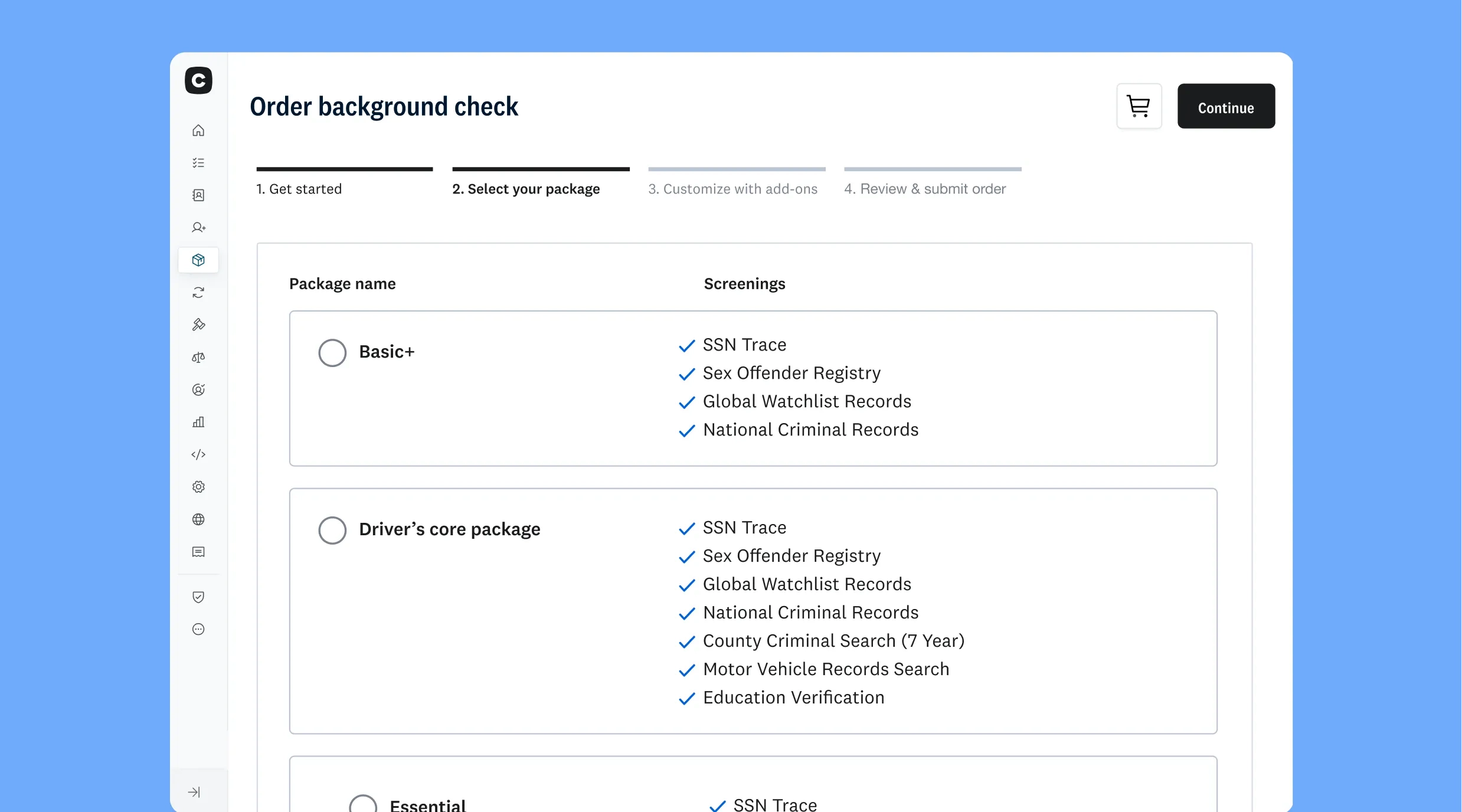
- Choose the package. Find the package that covers those screening needs without unnecessary checks.
- Check for gaps. Add individual searches or verifications when appropriate.
- Document and apply the criteria consistently. Use the same established screening approach for candidates applying to the same or similar positions.
Review your screening criteria periodically and whenever a role or responsibilities change. This can help refine your process over time by adding screenings as needed and removing those that no longer provide useful information.
Background check decision
- What does the role do?
- What requirements apply?
- What information is relevant?
- Which screenings provide it?
- Which package includes those checks?
- Are there gaps? (Yes: Consider add-ons / No: Establish the right package for the role)
- Document the criteria and apply them consistently
Turning the right package into a faster, fairer hire
Choosing role-based screening can remove unnecessary steps before you ever enter your hiring workflow. Rather than deciding what to order each time a position opens, your team has a clear, repeatable process ready to use.
Once you select the right background check package for a role:
0 OUT OF 4 COMPLETE
Document which screenings you’ll use and how they relate to the position’s responsibilities and requirements.
Apply the same screening criteria consistently.
Build the package into your standard hiring workflow, so your team doesn’t have to decide which checks to order each time a position opens.
Review your screening criteria when the role’s responsibilities, business needs, or requirements evolve.
When your screening criteria fit the role and are established in advance, you can spend less time deciding what to order, reduce unnecessary delays, improve the candidate experience, and give your team the information it needs to make informed hiring decisions.
See Checkr's screening packages
Transparent, pay-as-you-go pricing for every role.
Disclaimer
The resources and information provided here are for educational and informational purposes only and do not constitute legal advice. Always consult your own counsel for up-to-date legal advice and guidance related to your practices, needs, and compliance with applicable laws.

About the author
Hayley Harrison began her career as a hiring manager at a mid-size regional bank in the Pittsburgh area. She now brings her experience and knowledge of hiring best practices to her work as a freelancer, helping employers refine and improve their processes.